[Beta] Guardrail Policies
Use policies to group guardrails and control which ones run for specific teams, keys, or models.
Why use policies?
- Enable/disable specific guardrails for teams, keys, or models
- Group guardrails into a single policy
- Inherit from existing policies and override what you need
Quick Start
- config.yaml
- UI (LiteLLM Dashboard)
model_list:
  - model_name: gpt-6.1-sol
    litellm_params:
      model: openai/gpt-6.1-sol

# 1. Define your guardrails
guardrails:
  - guardrail_name: pii_masking
    litellm_params:
      guardrail: presidio
      mode: pre_call

  - guardrail_name: prompt_injection
    litellm_params:
      guardrail: lakera
      mode: pre_call
      api_key: os.environ/LAKERA_API_KEY

# 2. Create a policy
policies:
  my-policy:
    guardrails:
      add:
        - pii_masking
        - prompt_injection

# 3. Attach the policy
policy_attachments:
  - policy: my-policy
    scope: "*"  # apply to all requests
Step 1: Create a Policy
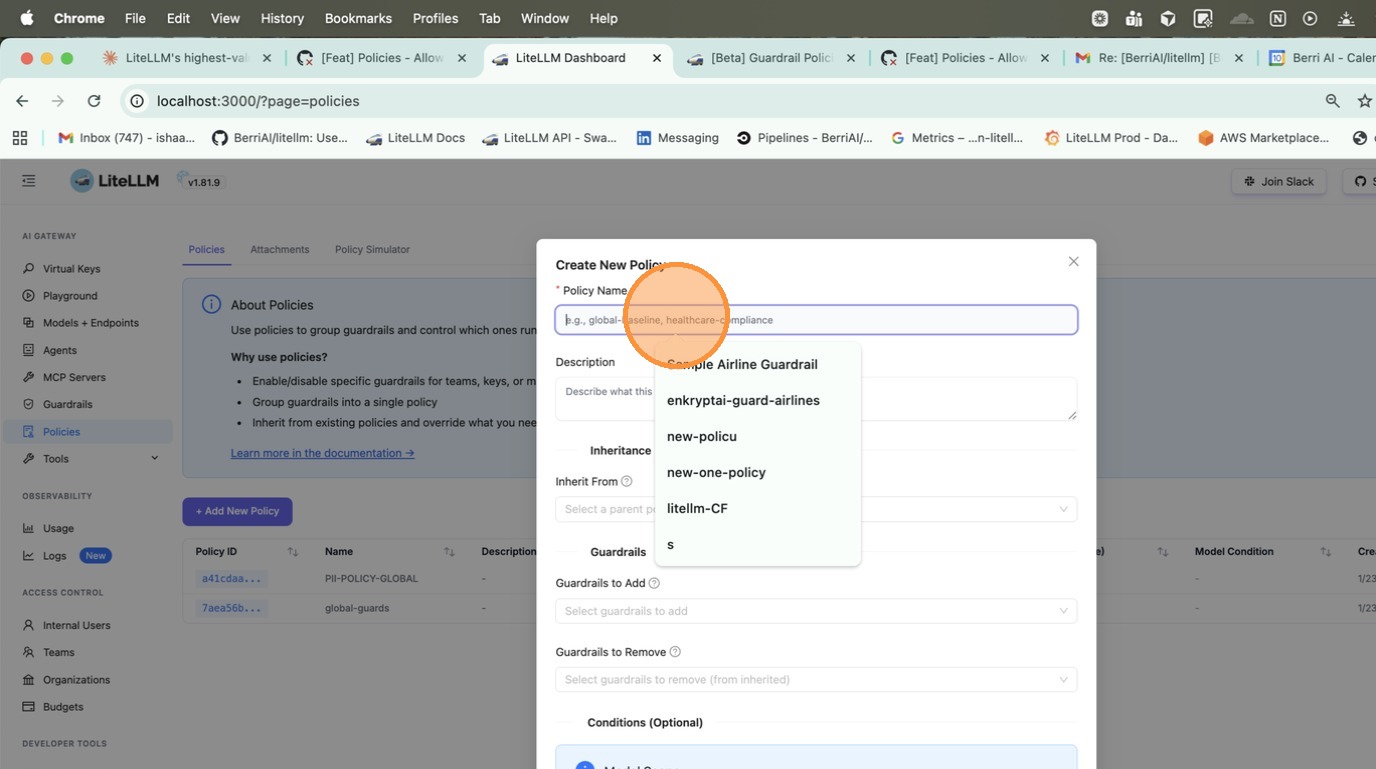
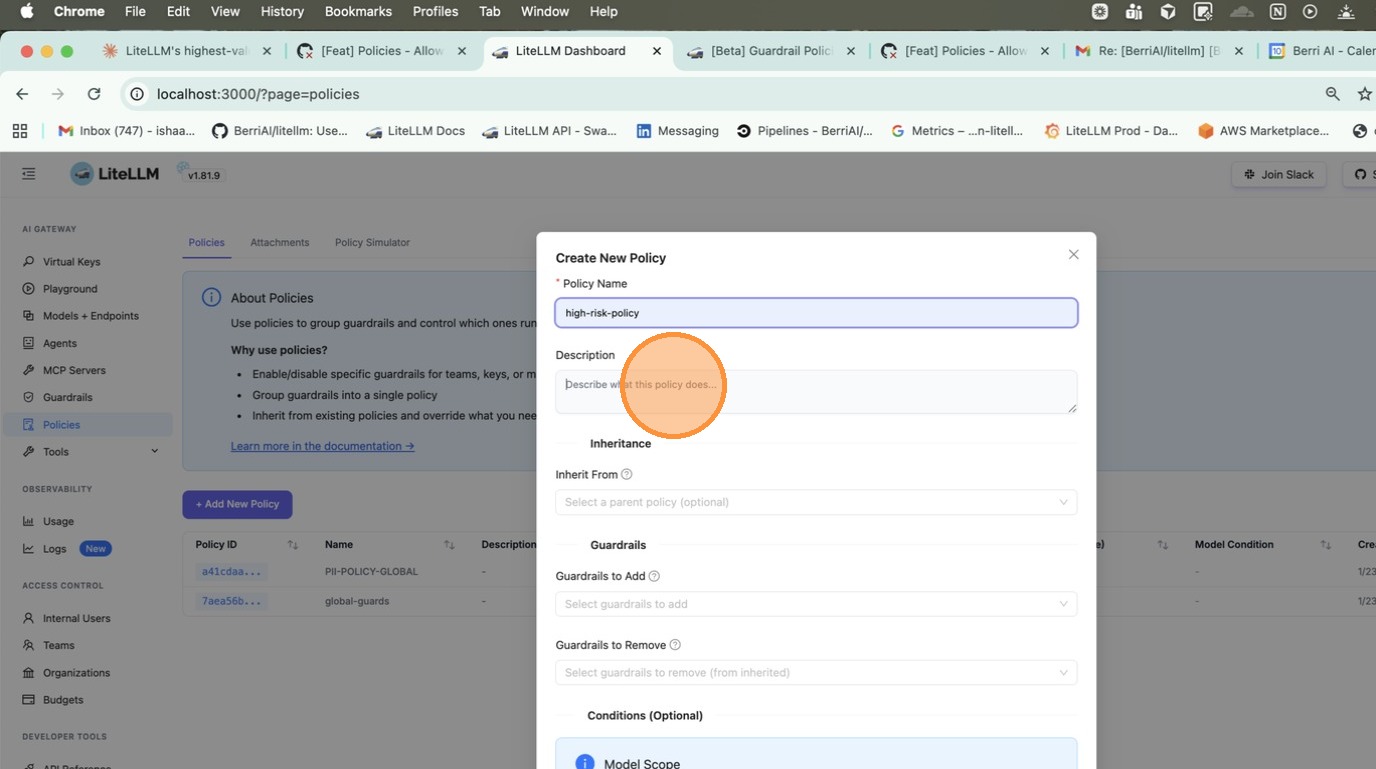
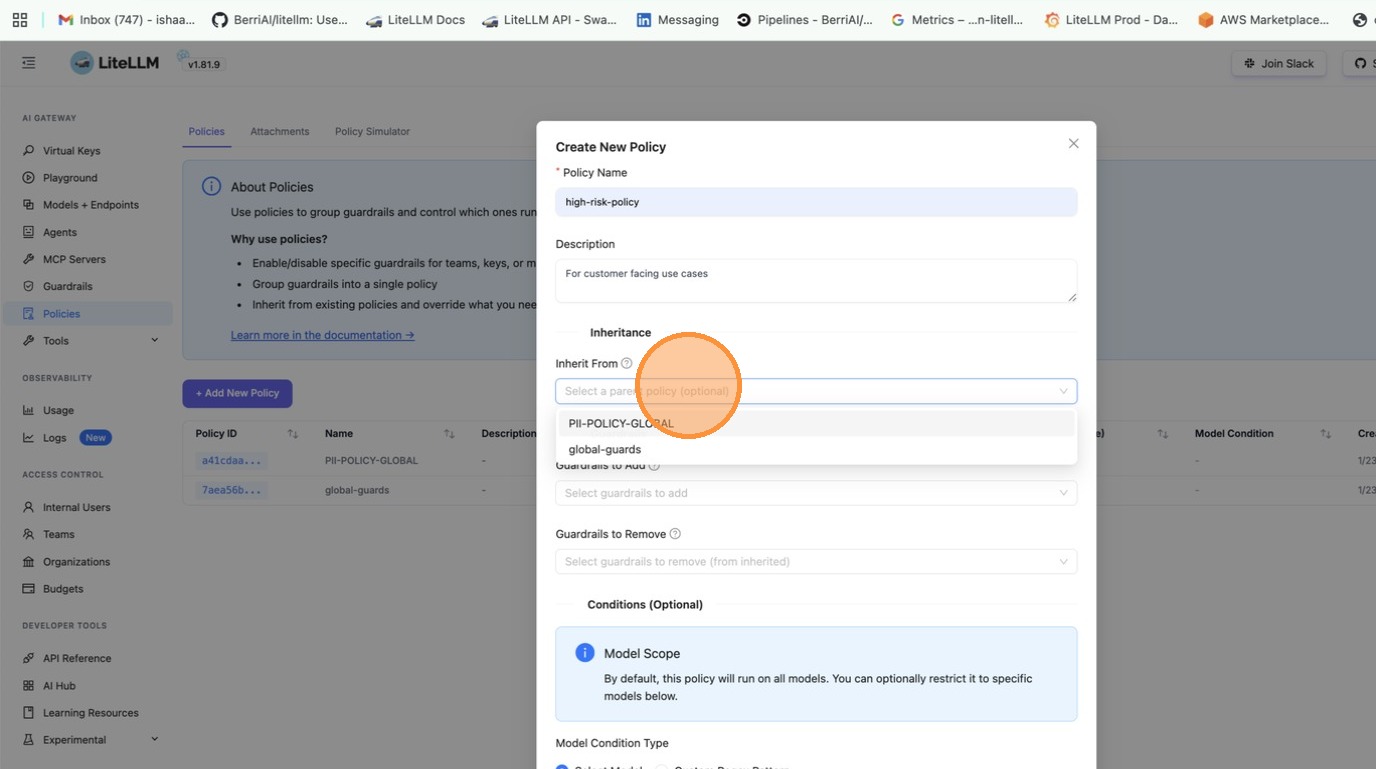
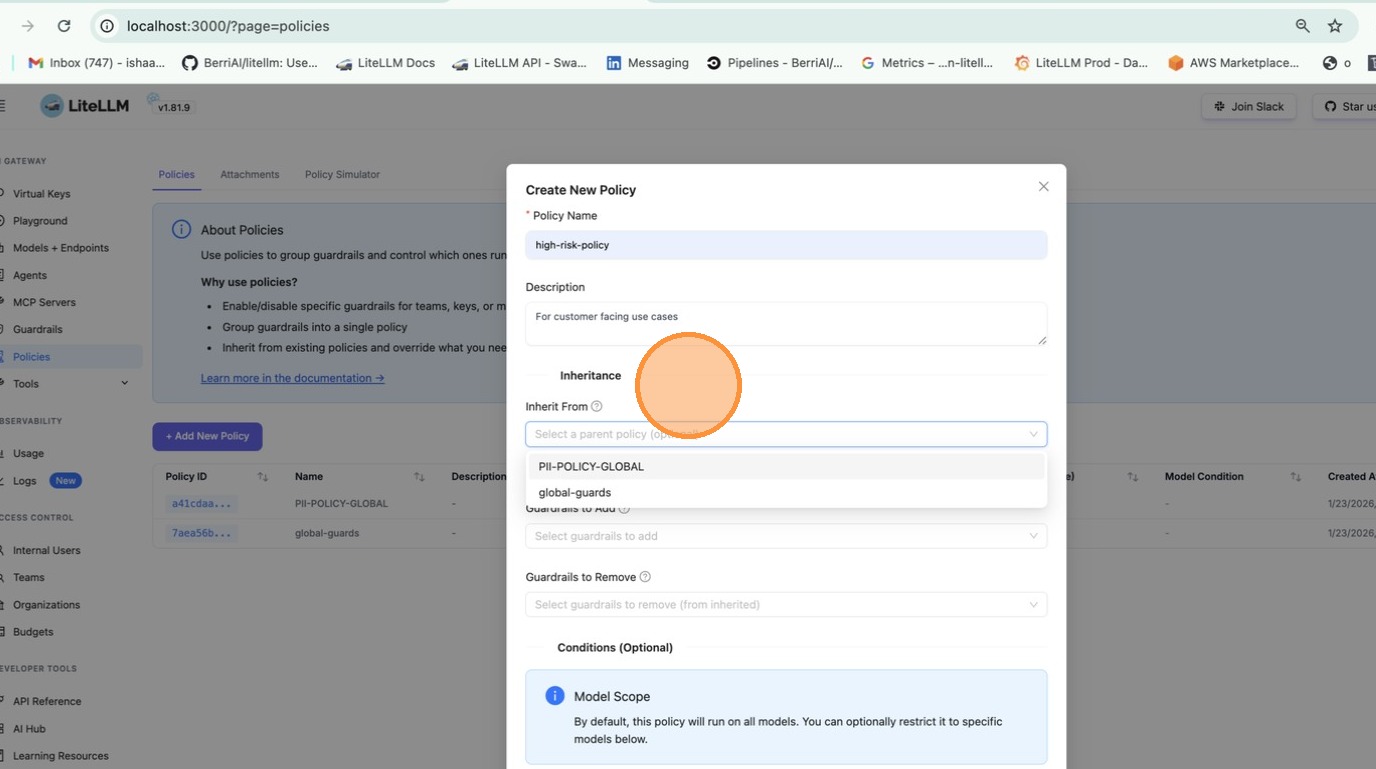
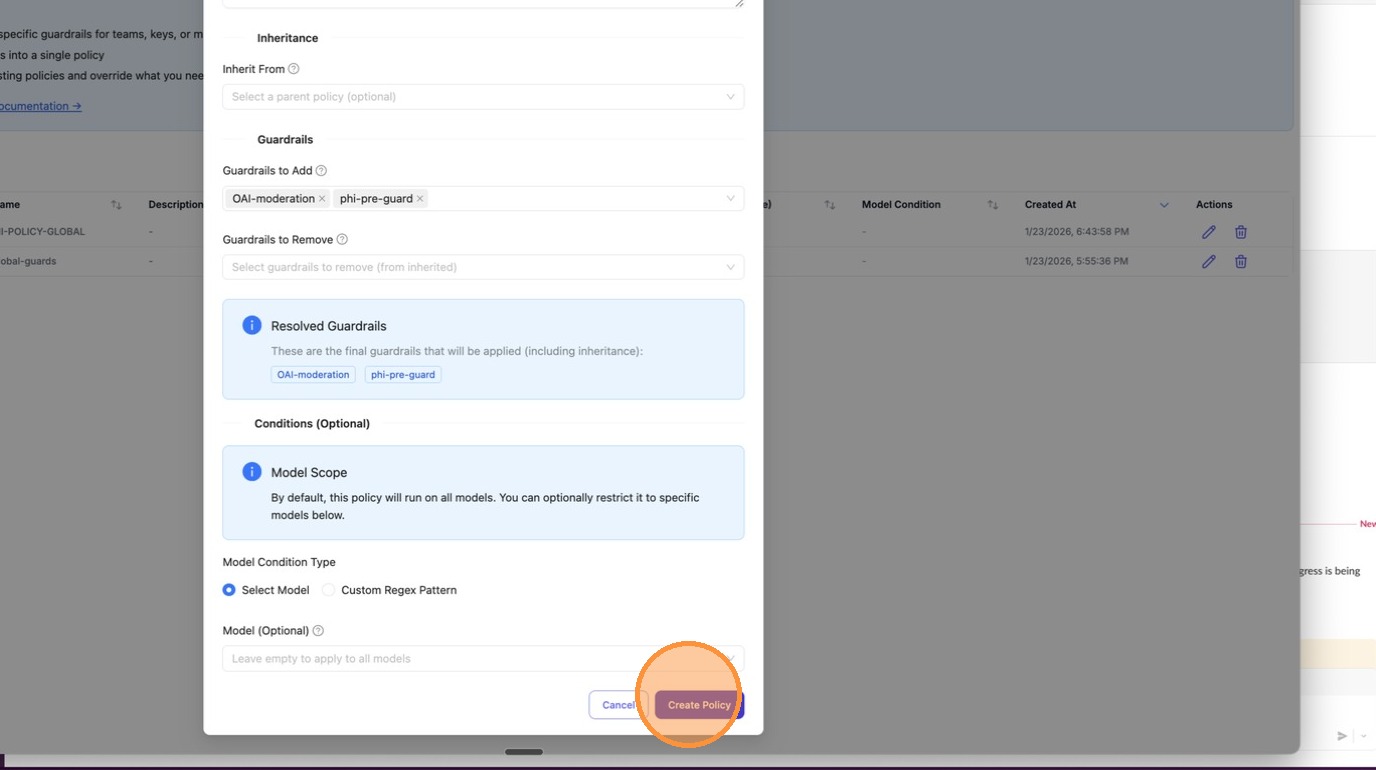
Go to Policies tab and click + Create New Policy. Fill in the policy name, description, and select guardrails to add.
Response headers show what ran:
x-litellm-applied-policies: my-policy
x-litellm-applied-guardrails: pii_masking,prompt_injection
Add guardrails for a specific team
Team/key-based policy attachment requires a LiteLLM Enterprise license. Start a free 30-day trial or book a demo. See what Enterprise includes.
You have a global baseline, but want to add extra guardrails for a specific team.
- config.yaml
- UI (LiteLLM Dashboard)
policies:
  global-baseline:
    guardrails:
      add:
        - pii_masking

  finance-team-policy:
    inherit: global-baseline
    guardrails:
      add:
        - strict_compliance_check
        - audit_logger

policy_attachments:
  - policy: global-baseline
    scope: "*"

  - policy: finance-team-policy
    teams:
      - finance  # team alias from /team/new
Option 1: Create a team-scoped attachment
Go to Policies > Attachments tab and click + Create New Attachment. Select the policy and the teams to scope it to.
Option 2: Attach from team settings
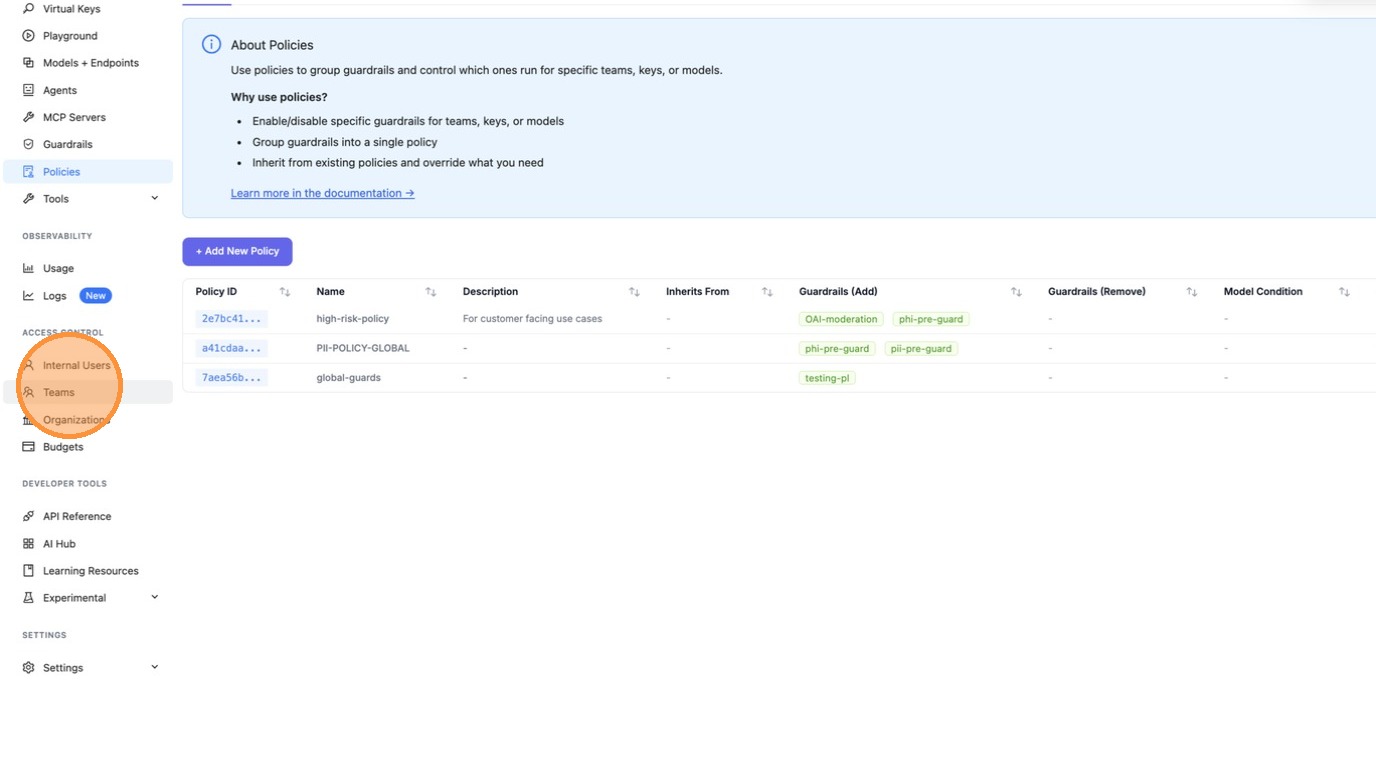
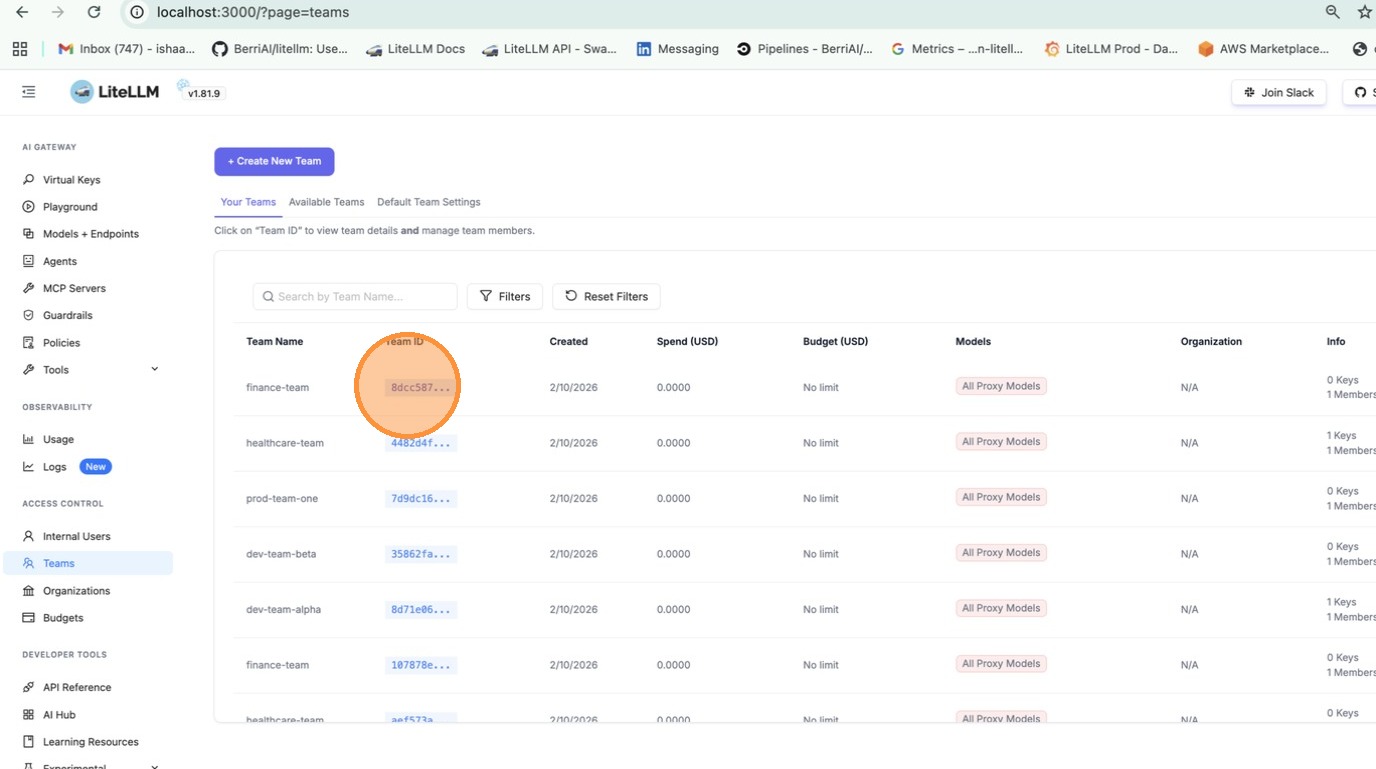
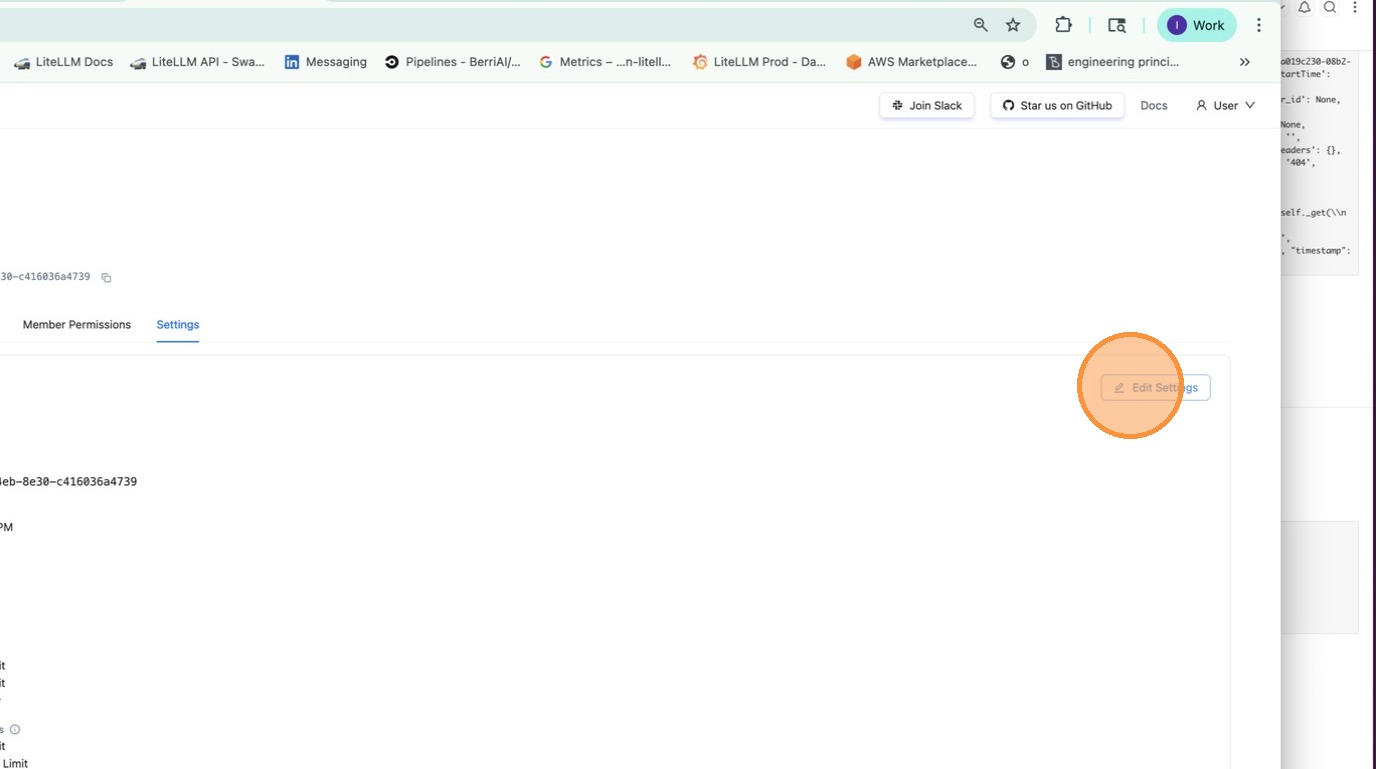
Go to Teams > click on a team > Settings tab > under Policies, select the policies to attach.
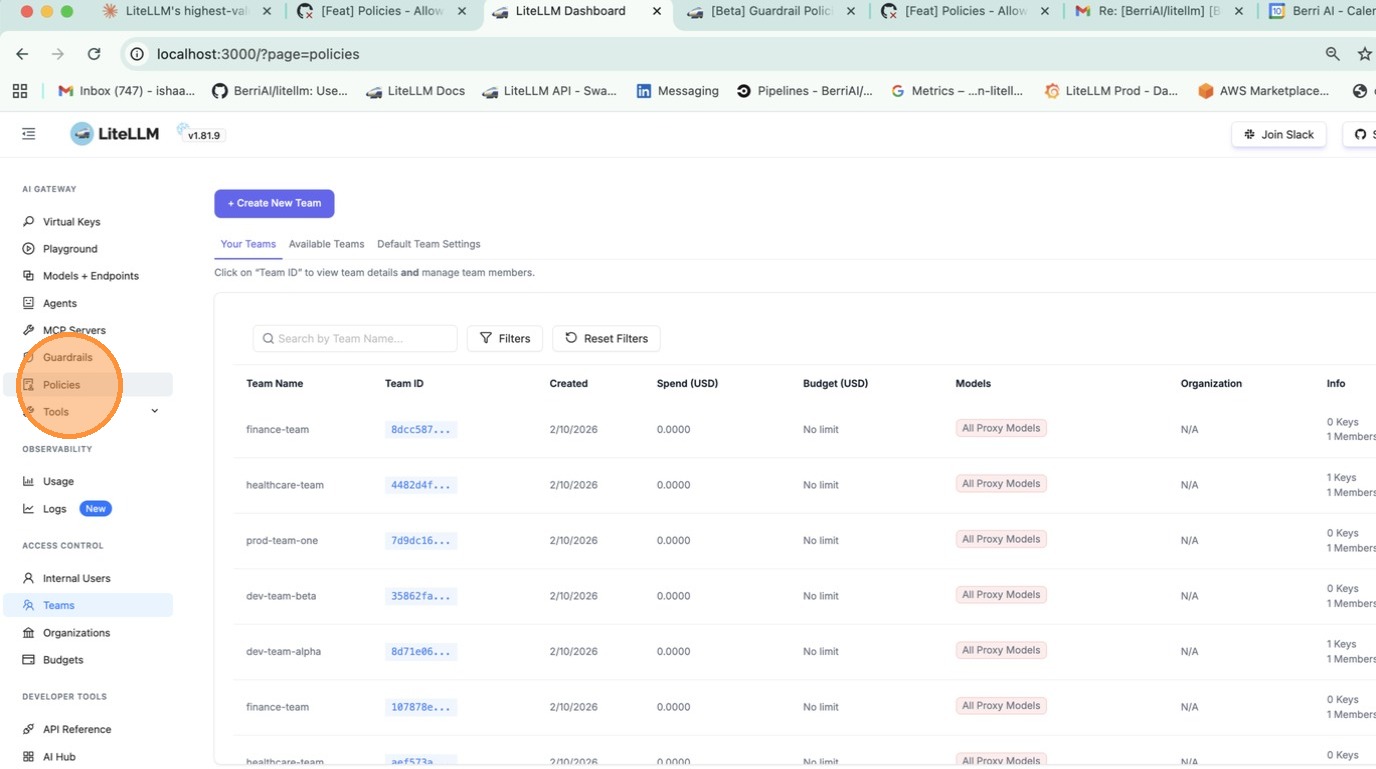
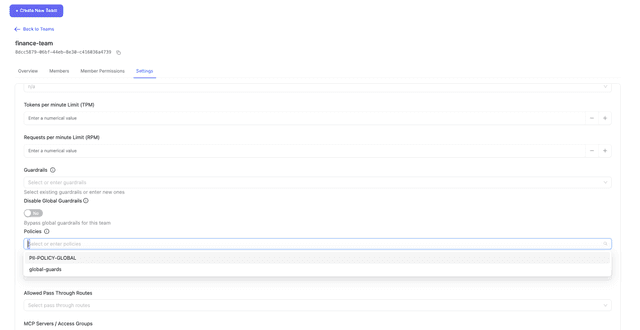
Now the finance team gets pii_masking + strict_compliance_check + audit_logger, while everyone else just gets pii_masking.
Remove guardrails for a specific team
Team/key-based policy attachment requires a LiteLLM Enterprise license. Start a free 30-day trial or book a demo. See what Enterprise includes.
You have guardrails running globally, but want to disable some for a specific team (e.g., internal testing).
policies:
  global-baseline:
    guardrails:
      add:
        - pii_masking
        - prompt_injection

  internal-team-policy:
    inherit: global-baseline
    guardrails:
      remove:
        - pii_masking  # don't need PII masking for internal testing

policy_attachments:
  - policy: global-baseline
    scope: "*"

  - policy: internal-team-policy
    teams:
      - internal-testing  # team alias from /team/new
Now the internal-testing team only gets prompt_injection, while everyone else gets both guardrails.
Inheritance
Start with a base policy and build on it:
policies:
  base:
    guardrails:
      add:
        - pii_masking
        - toxicity_filter

  strict:
    inherit: base
    guardrails:
      add:
        - prompt_injection

  relaxed:
    inherit: base
    guardrails:
      remove:
        - toxicity_filter
What you get:
base→[pii_masking, toxicity_filter]strict→[pii_masking, toxicity_filter, prompt_injection]relaxed→[pii_masking]
Model Conditions
Run guardrails only for specific models:
policies:
  gpt-safety:
    guardrails:
      add:
        - strict_content_filter
    condition:
      model: "gpt-5.6.*"  # regex - matches gpt-6-luna, gpt-6.1-sol

  bedrock-compliance:
    guardrails:
      add:
        - audit_logger
    condition:
      model:  # exact match list
        - bedrock/anthropic.claude-sonnet-5
        - bedrock/anthropic.claude-opus-5
Attachments
Policies don't do anything until you attach them. Attachments tell LiteLLM where to apply each policy.
Global - runs on every request:
policy_attachments:
  - policy: default
    scope: "*"
Team-specific (uses team alias from /team/new):
policy_attachments:
  - policy: hipaa-compliance
    teams:
      - healthcare-team  # team alias
      - medical-research  # team alias
Key-specific (uses key alias from /key/generate, wildcards supported):
policy_attachments:
  - policy: internal-testing
    keys:
      - "dev-*"  # key alias pattern
      - "test-*"  # key alias pattern
Tag-based (matches keys/teams by metadata tags, wildcards supported):
policy_attachments:
  - policy: hipaa-compliance
    tags:
      - "healthcare"
      - "health-*"  # wildcard - matches health-team, health-dev, etc.
Tags are read from key and team metadata.tags. For example, a key created with metadata: {"tags": ["healthcare"]} would match the attachment above.
Test Policy Matching
Debug which policies and guardrails apply for a given context. Use this to verify your policy configuration before deploying.
- UI (LiteLLM Dashboard)
- API
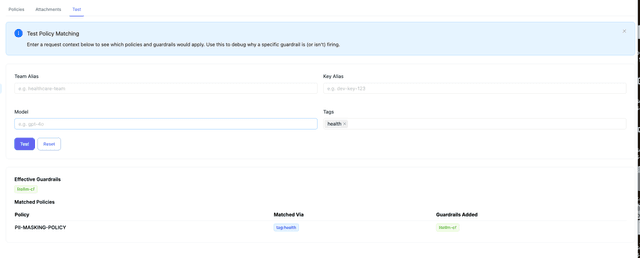
Go to Policies > Test tab. Enter a team alias, key alias, model, or tags and click Test to see which policies match and what guardrails would be applied.
curl -X POST "http://localhost:4000/policies/resolve" \
    -H "Authorization: Bearer <your_api_key>" \
    -H "Content-Type: application/json" \
    -d '{
        "tags": ["healthcare"],
        "model": "gpt-6.1-sol"
    }'
Response:
{
    "effective_guardrails": ["pii_masking"],
    "matched_policies": [
        {
            "policy_name": "hipaa-compliance",
            "matched_via": "tag:healthcare",
            "guardrails_added": ["pii_masking"]
        }
    ]
}
Policy Execution Order
When several policies match one request, LiteLLM runs them from the broadest attachment to the narrowest: scope: "*" first, then teams, then keys, then tags, then models. An attachment that combines several of these is ranked by its narrowest one and after the single-constraint attachments in that tier (models: [gpt-4o] before teams: [finance], models: [gpt-4o]). Attachments that still tie keep their config.yaml order, followed by attachments created through the API or UI, newest first. Policies passed in the request body ("policies": [...]) run after every attachment match, in the order given. Across tiers, the order does not depend on how attachments are listed in config.yaml or on which proxy worker handles the request.
This is the order pipelines execute in, so a global blocking policy always rejects a request before a model-scoped one gets to run. It is also the order of x-litellm-applied-policies and of matched_policies in /policies/resolve and the Policy Simulator. When the same policy is attached at more than one matching scope, it runs once, ranked by whichever of its attachments sorts first, and matched_via reports that attachment (scope:* rather than model:gpt-4o when neither has a priority).
To override the tier order, set an optional integer priority on an attachment. Attachments with a priority run before every attachment without one, lowest value first, and fall back to the tier order above when two share the same value. Attachments without a priority behave exactly as before, so existing configs do not change. Here model-policy runs before tag-policy even though tags is the broader tier:
policy_attachments:
  - policy: model-policy
    models: [gpt-4o]
    priority: 1
  - policy: tag-policy
    tags: [production]
    priority: 2
The same field is accepted by POST /policies/attachments, returned from GET /policies/attachments/list, and shown as a sortable Priority column and an optional Priority input in the Admin UI Attachments tab. Values must fit a signed 32-bit integer (-2147483648 to 2147483647).
policy_attachments:
  - policy: model-policy
    models: [gpt-4o]
  - policy: team-policy
    teams: [finance]
  - policy: global-policy
    scope: "*"
A gpt-4o request from a finance key runs global-policy, then team-policy, then model-policy, and returns x-litellm-applied-policies: global-policy,team-policy,model-policy.
Default (Fallback) Attachments
Attachment matches are additive: every attachment whose scope matches the request contributes its policy. To run one policy only for requests that opted in and a different policy for everyone else, mark the fallback attachment with default: true. A default attachment is skipped whenever any non-default attachment matches the request and its policy applies (the policy exists and its condition, if any, matches the request model). When no non-default attachment matches, every default attachment whose own scope matches applies, in the usual execution order.
policy_attachments:
  - policy: strict-guardrail
    tags: [strict-opt-in]
  - policy: standard-guardrail
    scope: "*"
    default: true
A request carrying the strict-opt-in tag runs only strict-guardrail. A request without it runs only standard-guardrail, and its matched_via in /policies/resolve and the Policy Simulator is prefixed with default: (for example default:scope:*). A default attachment still honors teams, keys, models and tags, so teams: [finance], default: true applies only to finance requests that matched nothing else. Attachments without default behave exactly as before.
The same field is accepted by POST /policies/attachments, returned from GET /policies/attachments/list, and exposed as a Default switch in the Admin UI create-attachment form plus a Default column in the Attachments tab.
Policy Flow Builder
For conditional execution (e.g., run a second guardrail only if the first fails), use the Policy Flow Builder to define pipelines with per-step pass, fail, and optional error actions (on_pass, on_fail, on_error).
Config Reference
policies
policies:
  <policy-name>:
    description: ...
    inherit: ...
    guardrails:
      add: [...]
      remove: [...]
    condition:
      model: ...
    pipeline: ...  # optional; see Policy Flow Builder
| Field | Type | Description |
|---|---|---|
description | string | Optional. What this policy does. |
inherit | string | Optional. Parent policy to inherit guardrails from. |
guardrails.add | list[string] | Guardrails to enable. |
guardrails.remove | list[string] | Guardrails to disable (useful with inheritance). |
condition.model | string or list[string] | Optional. Only apply when model matches. Supports regex. |
pipeline | object | Optional. Ordered guardrail execution with per-step actions (on_pass, on_fail, optional on_error). See Policy Flow Builder. |
policy_attachments
policy_attachments:
  - policy: ...
    scope: ...
    teams: [...]
    keys: [...]
    models: [...]
    tags: [...]
    priority: ...
    default: ...
| Field | Type | Description |
|---|---|---|
policy | string | Required. Name of the policy to attach. |
scope | string | Use "*" to apply globally. |
teams | list[string] | Team aliases (from /team/new). Supports * wildcard. |
keys | list[string] | Key aliases (from /key/generate). Supports * wildcard. |
models | list[string] | Model names. Supports * wildcard. |
tags | list[string] | Tag patterns (from key/team metadata.tags). Supports * wildcard. |
priority | integer | Optional. Lower values run first. Attachments with a priority run before those without one; ties fall back to the tier order. |
default | boolean | Optional, defaults to false. Apply this attachment only when no non-default attachment matches the request. |
Response Headers
| Header | Description |
|---|---|
x-litellm-applied-policies | Policies that matched this request |
x-litellm-applied-guardrails | Guardrails that actually ran |
x-litellm-policy-sources | Why each policy matched (e.g., hipaa=tag:healthcare; baseline=scope:*) |
How it works
Example config:
policies:
  base:
    guardrails:
      add: [pii_masking]

  finance-policy:
    inherit: base
    guardrails:
      add: [audit_logger]

policy_attachments:
  - policy: base
    scope: "*"
  - policy: finance-policy
    teams: [finance]
- Request comes in with
team_alias='finance' - Matches
base(viascope: "*") andfinance-policy(viateams: [finance]) - Resolves guardrails:
baseaddspii_masking,finance-policyinherits and addsaudit_logger - Final guardrails:
pii_masking,audit_logger

