LiteLLM Lens
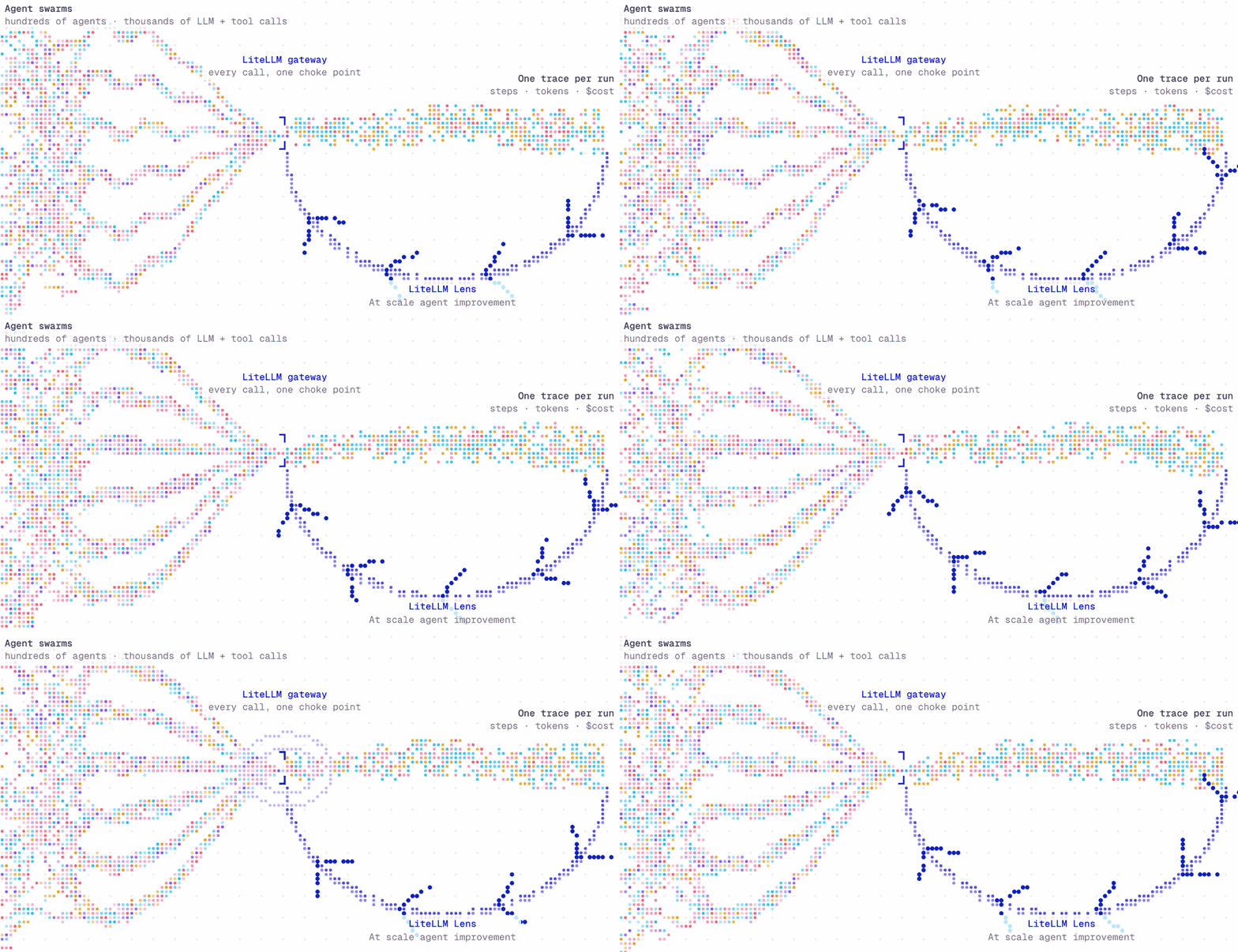
Once your agents are in production, you cannot manually review every trace.
LiteLLM Lens uses AI agents to analyze your agent traces and find recurring problems. You specify the expected behavior. Lens investigates failures, groups similar problems, and links each finding to the original traces.
Use Lens > Traces to manually inspect individual runs. Use Lens > Investigations to investigate a set of runs, on demand or on a schedule.
Before setup, turn on Demo data at the top right of Lens to explore sample traces, investigations, and linked evidence. Turn it off to return to your own workspace. To see the fields of a finding before you set anything up, read the sample finding in the API reference.
Get started
If your team already runs Lens, send your first trace. Choose your framework, give the agent a name, and run the example.
You can deploy Lens on its own or add it to your LiteLLM dashboard. If Lens already runs, connect that deployment to your gateway. Each guide ends with a connection check and a first trace.
Use the coding agent guide to record personal Claude Code or Codex sessions. Once traces are available, run an investigation or use the API reference.
How Lens works
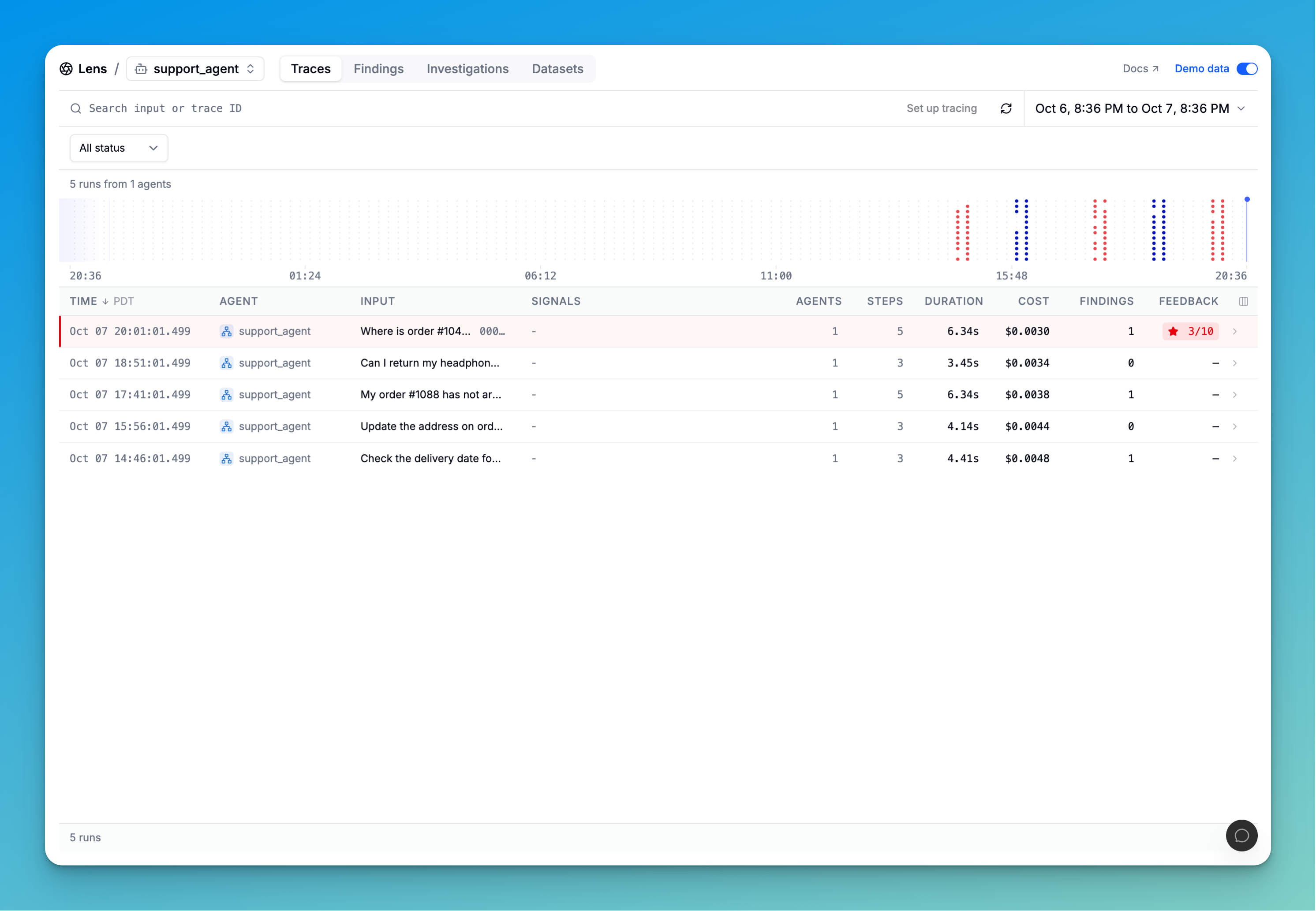
1. Capture your agent's traces
Send traces from your agent to Lens. Open a run to inspect its inputs, responses, and tool calls, along with latency and cost.
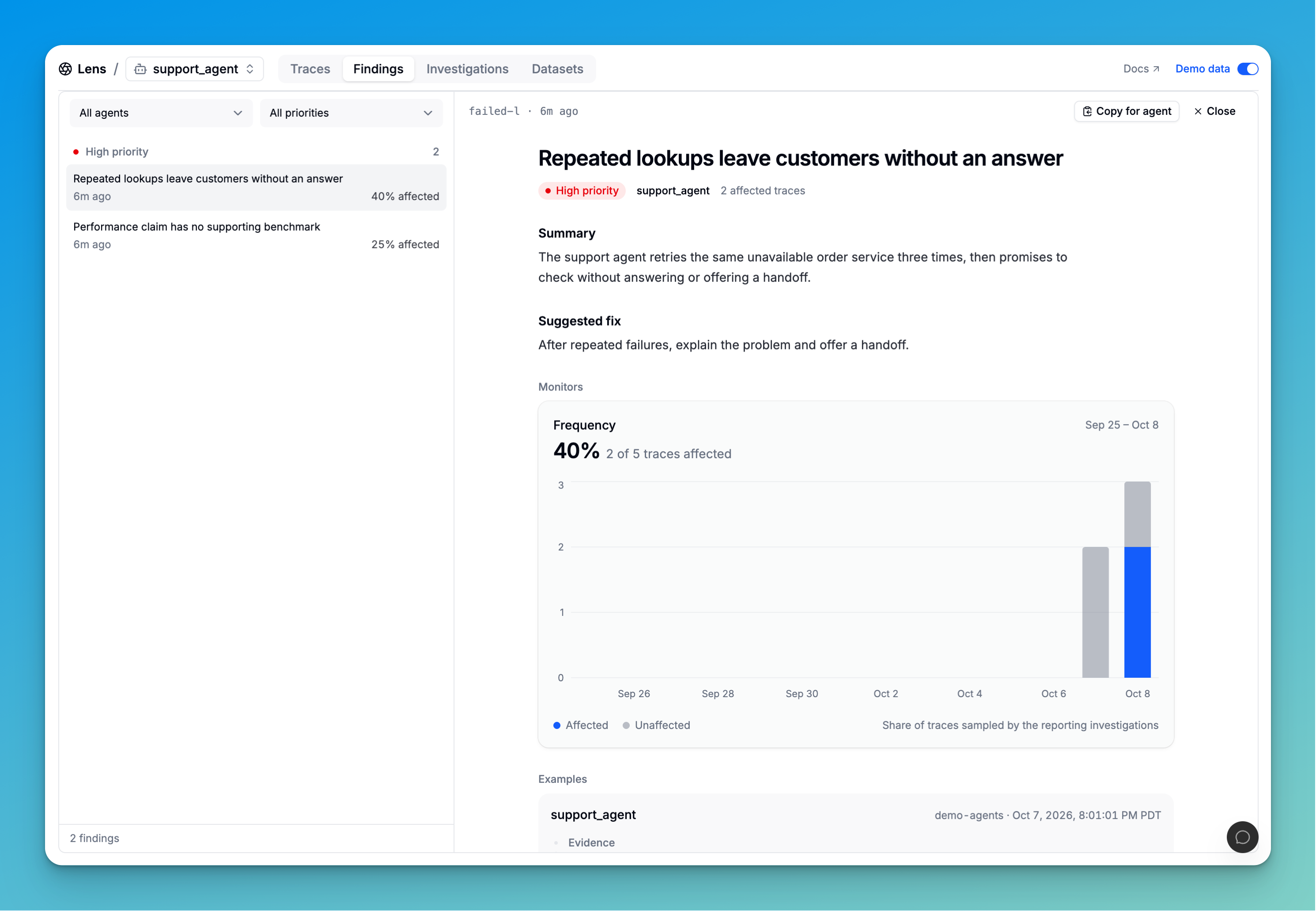
2. Find where your agent falls short
Run an investigation to find problems across your traces. Review findings with examples, suggested fixes, and how often each problem occurs in the traces analyzed.
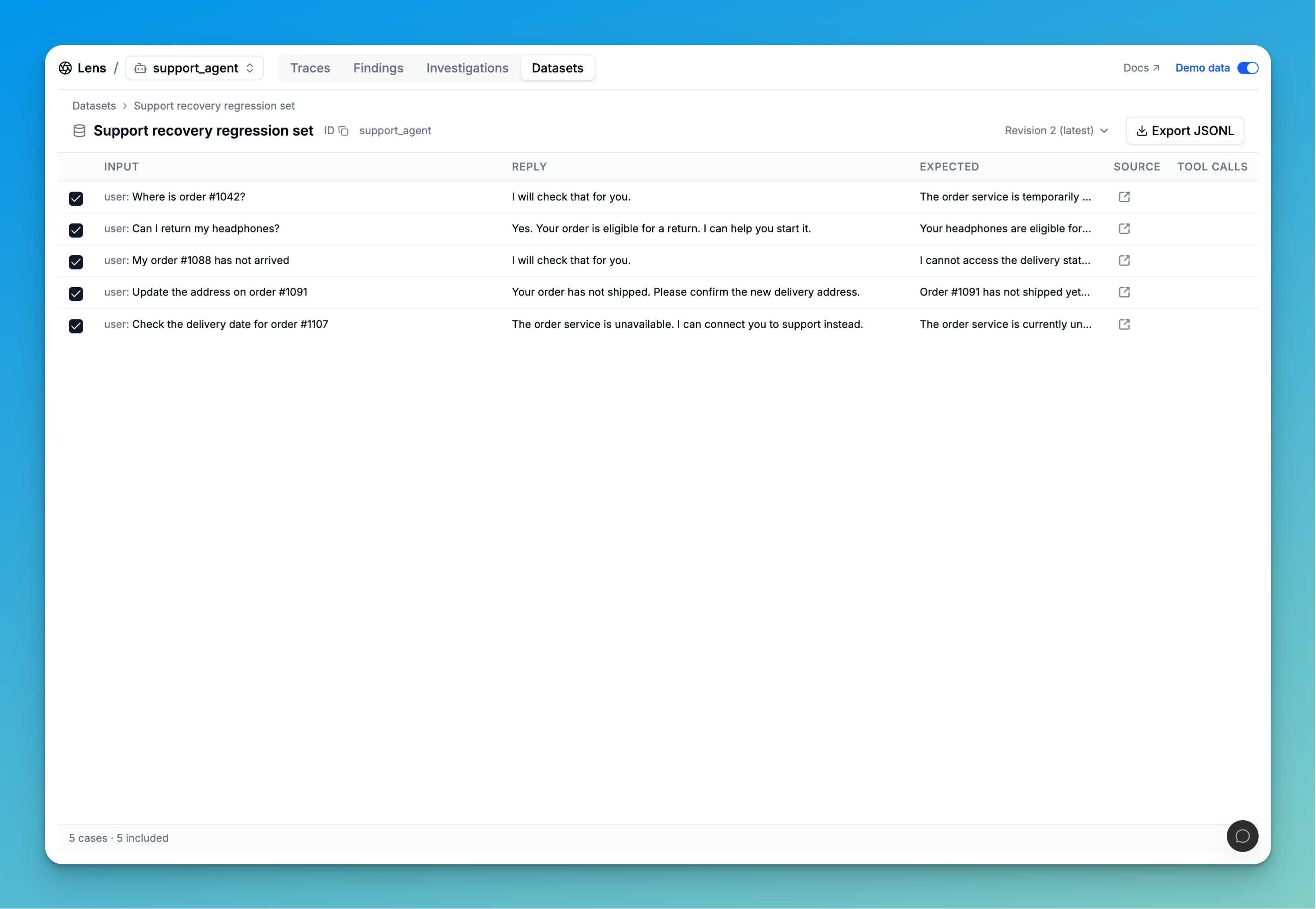
3. Turn those runs into test cases
Save runs into a dataset and add the responses you expect. Export the dataset to test changes to your agent's prompts, tools, or models.