LiteLLM Lens
The gateway that helps your agents improve




Today we're launching LiteLLM Lens. Tell Lens what to look for in your agents, let it analyze your traces, then read the findings and go deeper into any trace
The agentic swarm developer
We're building for a future where developers run agentic swarms: hundreds of agents working in parallel, each one making LLM and tool calls, together generating 200K+ traces
LiteLLM is already the chokepoint for 100% of your enterprise's AI traffic, so every one of those calls already flows through the gateway
The problem
Nobody can read 200K traces by hand. When a swarm gets something wrong, the evidence is spread across thousands of runs, and you can't tell what's working, what's failing, or how your agents should improve
Tracing platforms make it harder. Your data sits in someone else's system behind rate limits, so you can't point Codex or Claude Code at it to dig in
Our solution
We believe the next era of the gateway is using the data flowing through it to help your agents improve. Lens does this in three steps, and puts an agent-first tracing API underneath them
1. Tell Lens what to look for
For each of your agents, describe what you want Lens to look for. What does a good run look like, and what does a bad one look like? You can also add specific questions, one per line, like "Find tool failures the agent does not recover from"
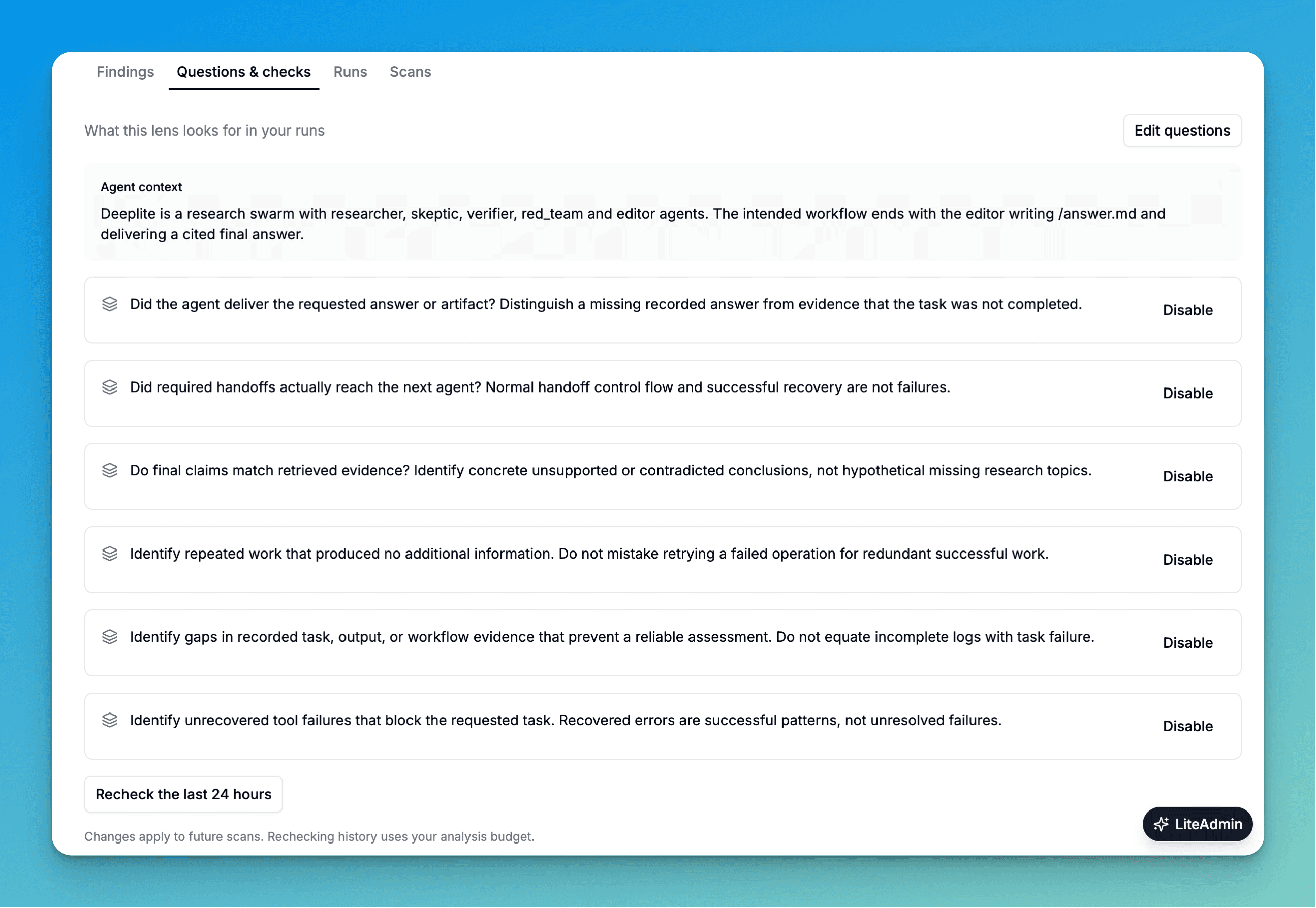
2. Lens analyzes your traces
Lens uses AI agents to review your traces for you. It investigates the runs, groups similar problems, and shows you its findings for each of your agents: what happened, what to do next, and the runs that support it
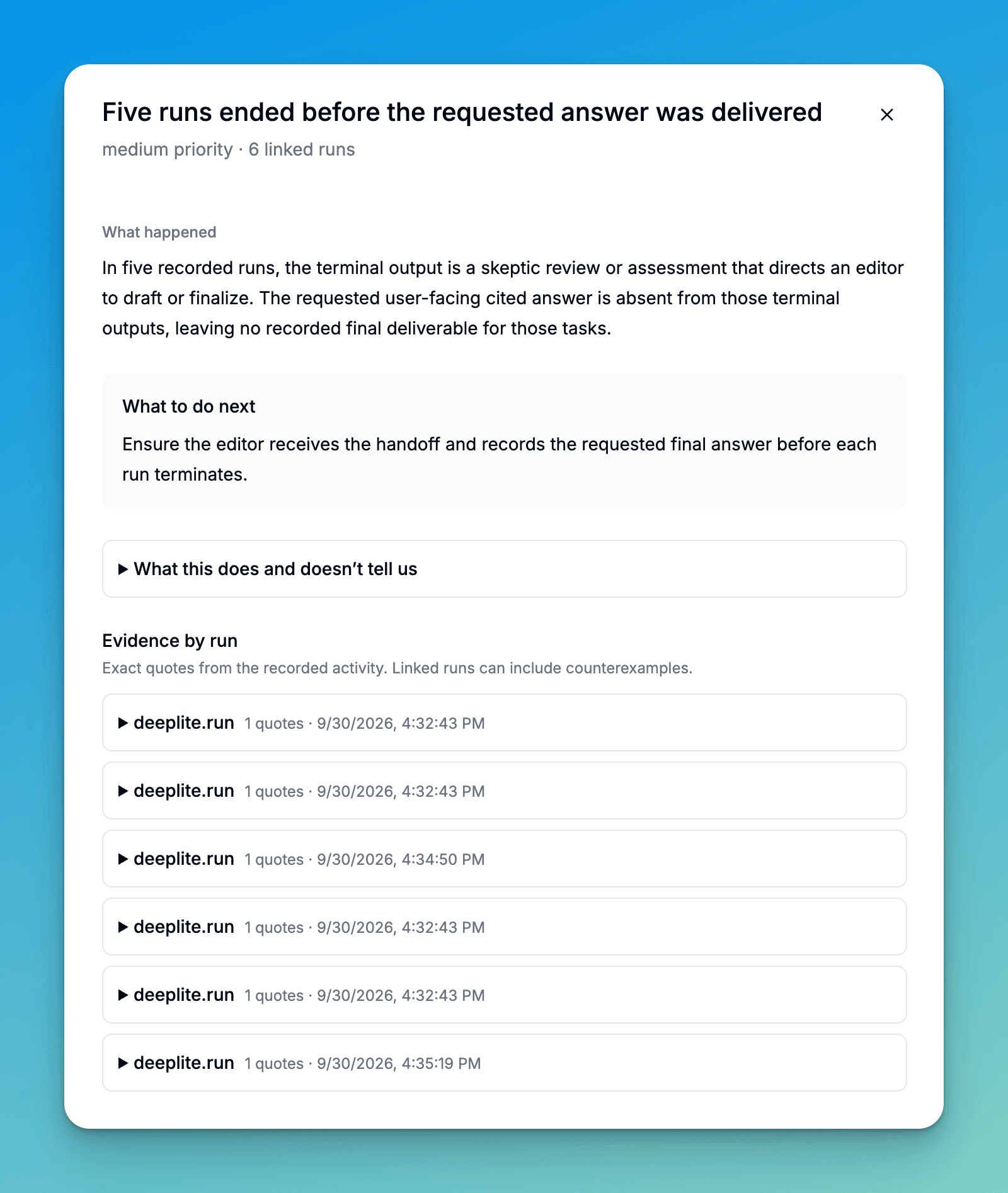
3. Read the findings, then go deeper into the trace
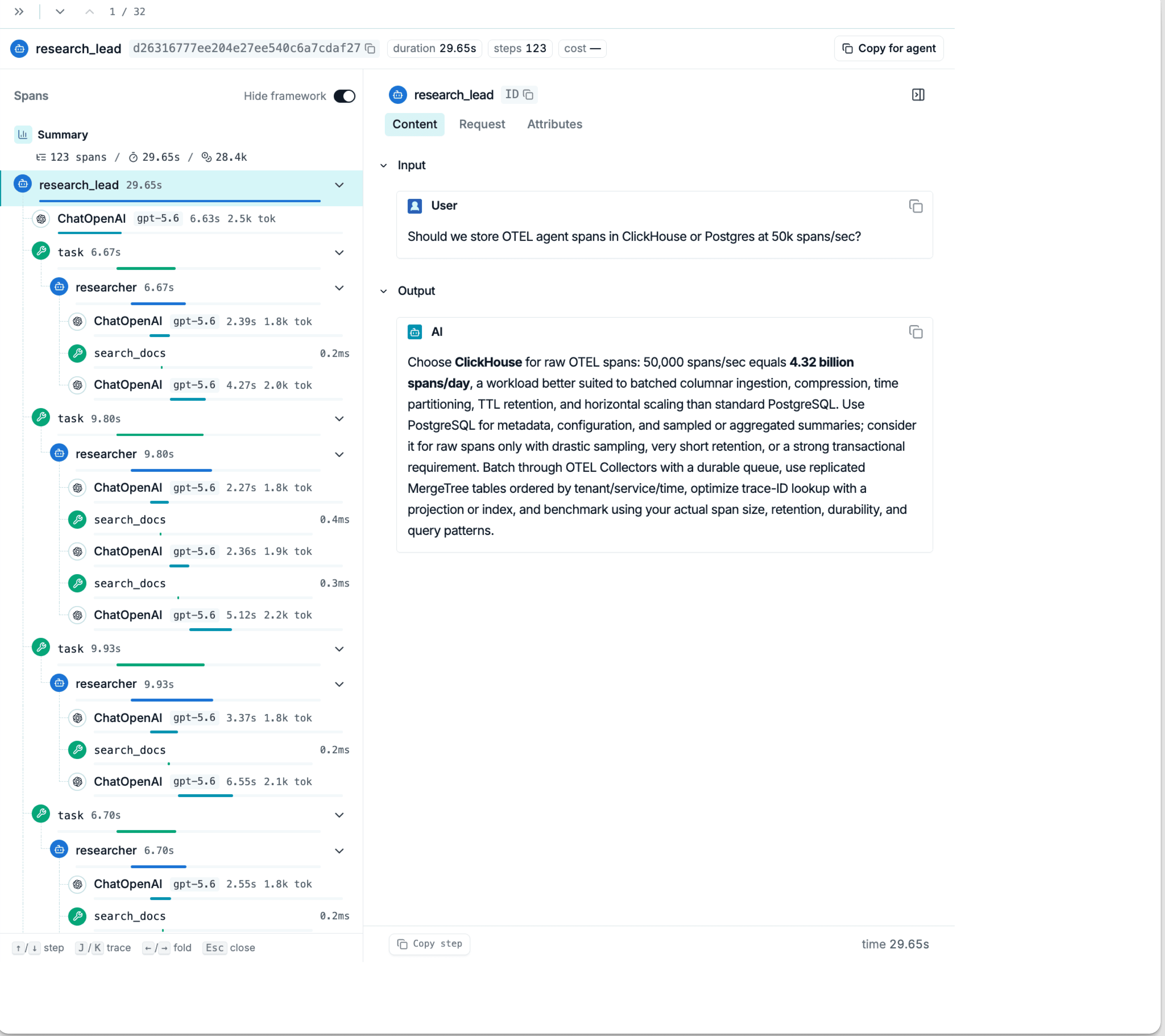
Start with the findings. When you need more, every finding links back to the exact step in the original trace, so you can read the input, output, and attributes behind it
An individual trace looks like this: the full step tree on the left, and the input and output of the selected step on the right
Agent-first tracing APIs
Own your infra. Traces land in ClickHouse that you run, next to the LiteLLM gateway you already deploy. Query them with simple SQL, or let Codex and Claude Code analyze them through the tracing API without tracing-platform rate limits
Launch partners
Lens was built and designed with our launch partners
 MindFort
“We built the world's first fully autonomous security swarm. MindFort uses thousands of agents that work together to find real, exploitable vulnerabilities live on target, then safely build and roll out patches, continuously.
We use Lens to power our internal applied AI research and production engineering, letting us analyze hundreds of thousands of agent interactions at scale while maintaining complete data sovereignty.”
Get started
The era of self-improving agents is here. Sign up for early access, or follow the Lens docs to deploy it on your own LiteLLM gateway today