AgentOps
Observability and DevTool platform for AI agents, at agentops.ai.
Pre-Requisites
uv add litellm
Quick Start
- SDK
- LiteLLM Proxy
import litellm
import os

os.environ["LITELLM_OTEL_V2"] = "true"
os.environ["AGENTOPS_API_KEY"] = ""
# LLM API Keys
os.environ["OPENAI_API_KEY"] = ""

# set agentops as a callback, litellm will send the data to agentops
litellm.callbacks = ["agentops"]

# openai call
response = litellm.completion(
  model="gpt-6.1-sol",
  messages=[
    {"role": "user", "content": "Hi - i'm openai"}
  ]
)
- Setup config.yaml
model_list:
  - model_name: gpt-6.1-sol
    litellm_params:
      model: openai/gpt-6.1-sol
      api_key: os.environ/OPENAI_API_KEY

litellm_settings:
  callbacks: ["agentops"]
- Set your credentials
LITELLM_OTEL_V2=true
AGENTOPS_API_KEY="your-api-key"
- Start LiteLLM Proxy
litellm --config /path/to/config.yaml
- Test it!
curl -L -X POST 'http://0.0.0.0:4000/v1/chat/completions' \
-H 'Content-Type: application/json' \
-H "Authorization: Bearer $LITELLM_API_KEY" \
-d '{
  "model": "gpt-6.1-sol",
  "messages": [
    {
      "role": "user",
      "content": "Hey, how are you?"
    }
  ]
}'
What AgentOps renders
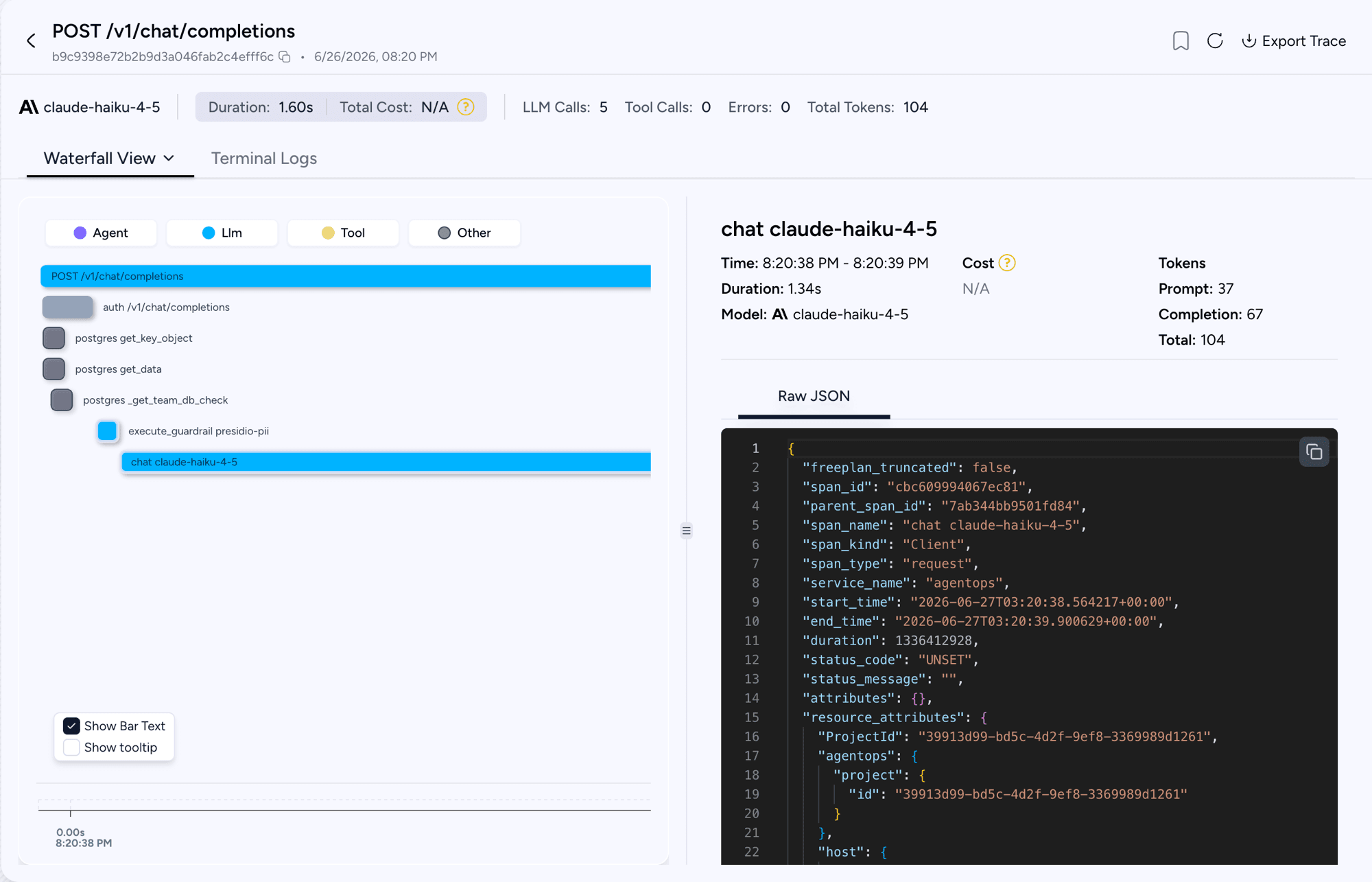
Open the AgentOps dashboard. AgentOps does not add a vendor mapper, so spans arrive in the canonical gen_ai.* schema; see Span attributes for the full list of keys.
The preset sets three resource-level labels on the traces: service.name from AGENTOPS_SERVICE_NAME, a fixed telemetry.sdk.name of agentops, and deployment.environment from AGENTOPS_ENVIRONMENT when you set it. AgentOps routes the trace by the project encoded in the auth token, so the project never appears as a resource attribute.
Configuration
| Variable | Required | Notes |
|---|---|---|
AGENTOPS_API_KEY | Yes | Exchanged for a short-lived JWT |
AGENTOPS_SERVICE_NAME | No | Defaults to agentops |
AGENTOPS_ENVIRONMENT | No | No default; deployment.environment is only stamped when you set it |
Traces are sent to https://otlp.agentops.ai/v1/traces.
Good to know
AgentOps mints its auth token on the first span export rather than at startup, so the very first export can look briefly delayed. This happens once per process and is expected; the token is then cached for the process lifetime.
Set AGENTOPS_SERVICE_NAME and AGENTOPS_ENVIRONMENT if you want to separate environments in the AgentOps UI.
Full OpenTelemetry reference
This page covers the AgentOps-specific setup. For span attributes, prompt and response capture, metrics, distributed tracing, and which routes are traced, see the OpenTelemetry v2 guide.
Support & Talk to Founders
- Schedule Demo
- Community Discord
- Our emails ishaan@berri.ai / krrish@berri.ai

